Receiving your Controlant shipment - manual data upload
Uploading the data manually is necessary if the logger is located in an area with poor cellular service, or is otherwise unable to broadcast data to Controlant via cellular signal. Below are the instructions on how to upload data manually from your Controlant real-time temperature monitoring device.
This content requires cookie consent to display.
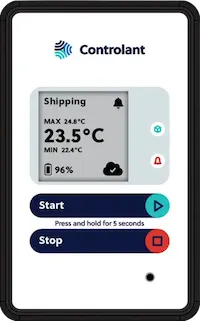
- Press and hold the stop button for 5 seconds.
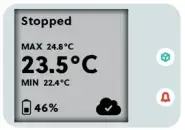
- While the device attempts to connect to the cloud, an updating icon will appear in the bottom right of the screen. This icon will quickly update to either a checkmark or a cross mark.
- For a cloud icon with tick: Data was uploaded successfully. Check shipment quality report for product status.
- For a cloud icon with a cross: Proceed to step 3.
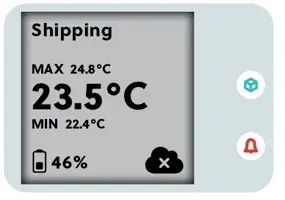
- Wait 30 minutes and move the box to a different location likely to have cellular service. Repeat steps 1 and 2 as often as you like or proceed to step 4 to upload the data manually.
- Pull out the hidden USB connector in the logger device. DO NOT DISCONNECT THE TEMPERATURE PROBE OR CABLE.
- Use the USB connector to connect the logger to your PC or Mac. If your workplace does not allow USB connections, please use a personal device.
- Follow the instructions on the website to upload the DATA.BIN file from the device.
Please note: If the upload.controlant.com website responds that the upload failed, please unplug the logger, wait 30 minutes, plug the logger back in, and try to upload the data file again.
If the issue persists, please send the data by email:
to: support@controlant.com
Subject line: “manual data upload for CMSxxxxxxxx” – (logger ID can be found on back of the logger)
File attached: DATA.BIN